
Ce guide vous explique comment créer et configurer votre VPN depuis l'espace client Infrawire. Accédez à votre configuration WireGuard en quelques clics.
Info — Ce tutoriel est destiné aux offres VPN Infrawire. Découvrir les offres VPN →
Étape 1 : Création du VPN
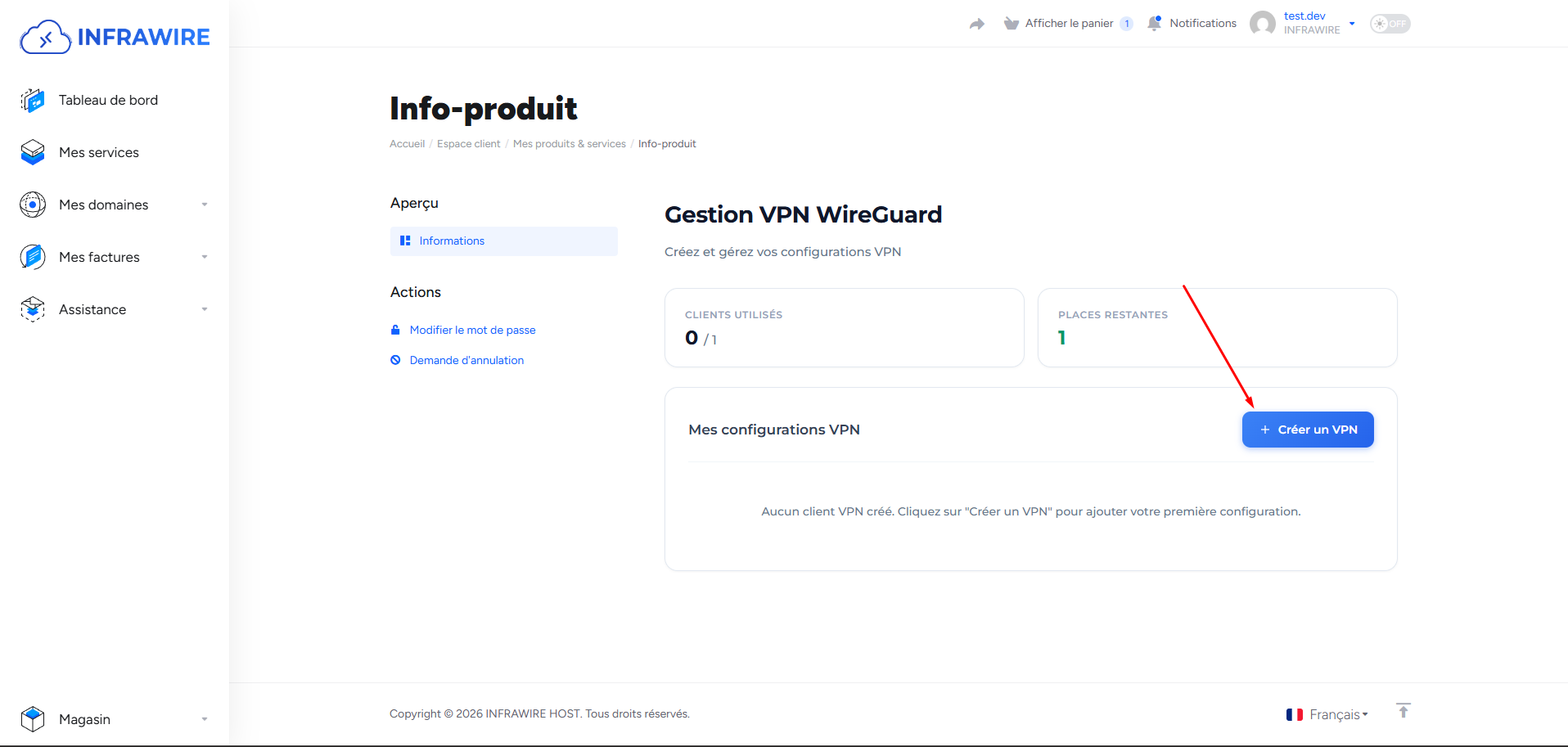
Pour créer un nouveau VPN, cliquez sur le bouton « Créer un VPN » dans l'espace client.
Étape 2 : Nom du VPN
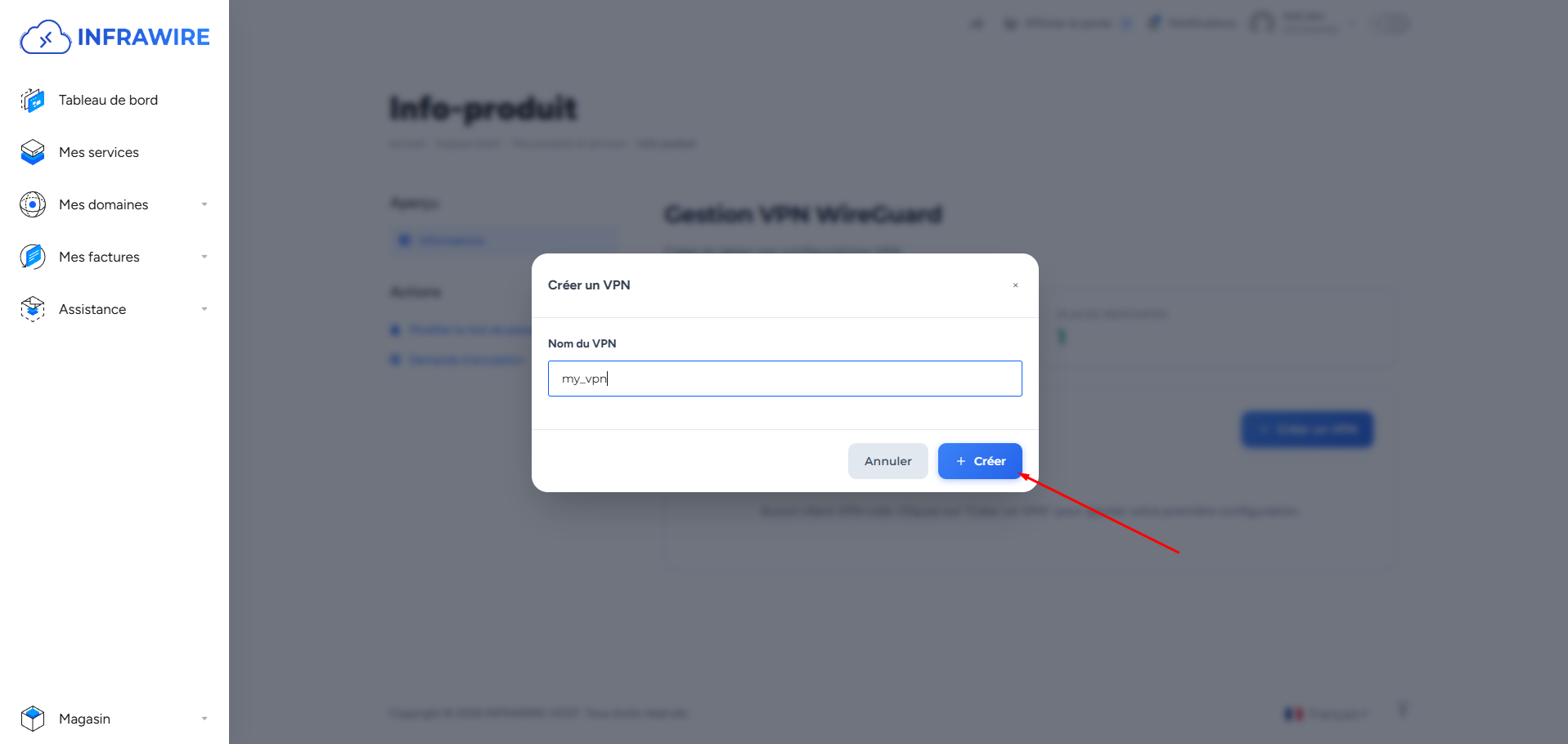
Un formulaire s'affiche pour saisir le nom de votre VPN. Entrez le nom souhaité pour identifier votre connexion.
Étape 3 : VPN créé
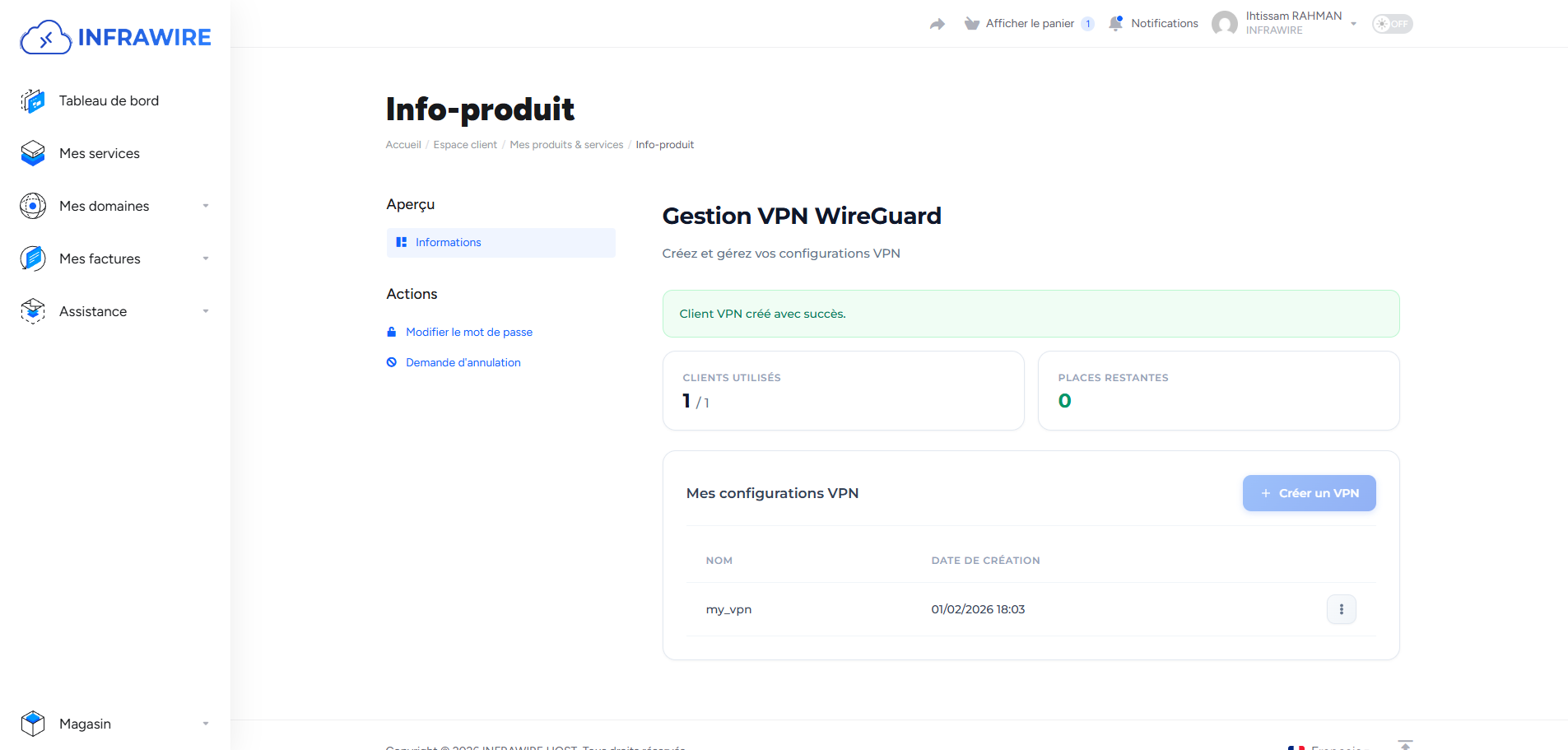
Une fois la création terminée, votre VPN apparaît dans la liste. Le VPN est maintenant opérationnel.
Étape 4 : Télécharger le fichier de configuration
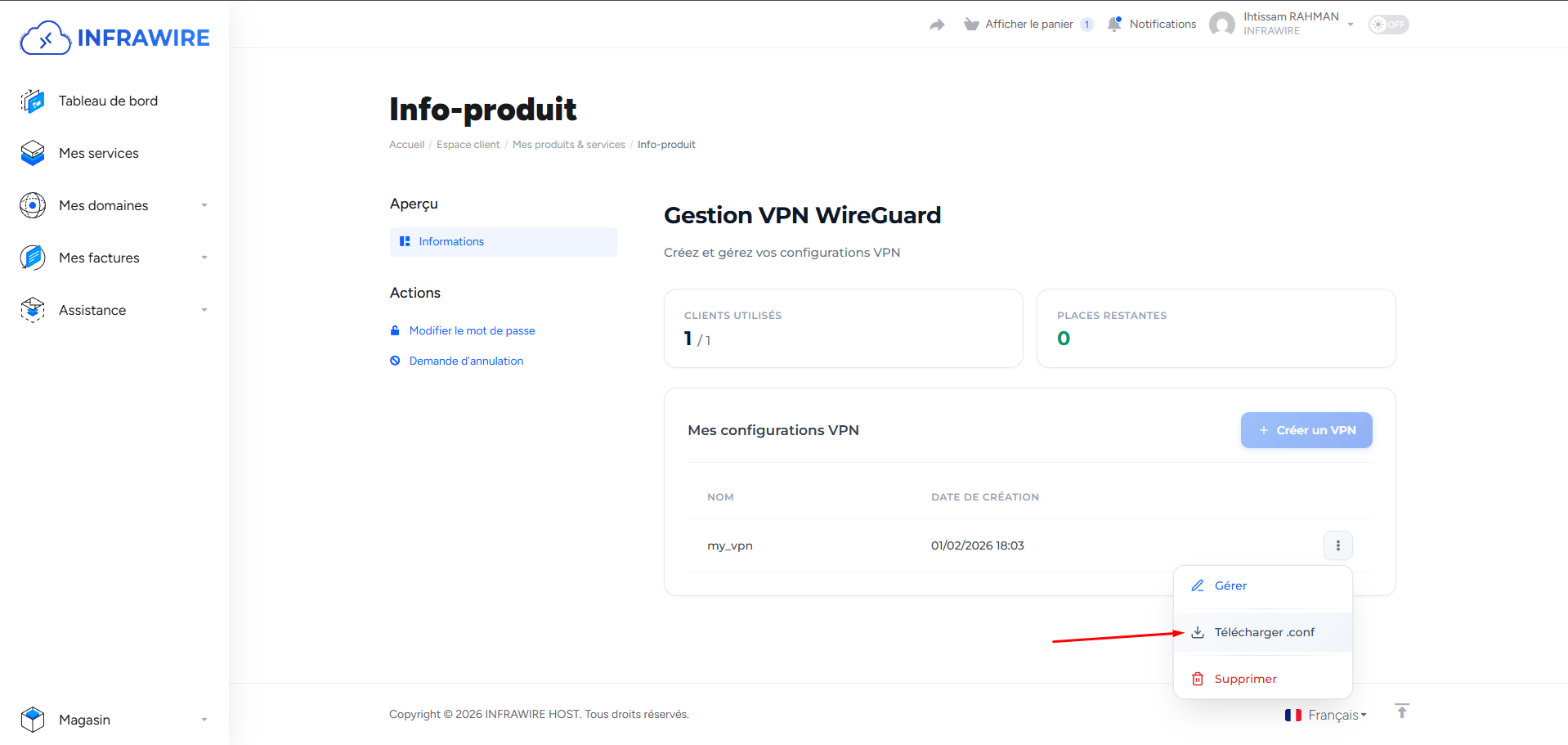
Pour configurer votre client WireGuard, cliquez sur le bouton « Télécharger .conf » pour récupérer le fichier de configuration. Ce fichier vous permettra de vous connecter à votre VPN depuis n'importe quel appareil compatible WireGuard.
Étape 5 : Affichage et téléchargement de la configuration
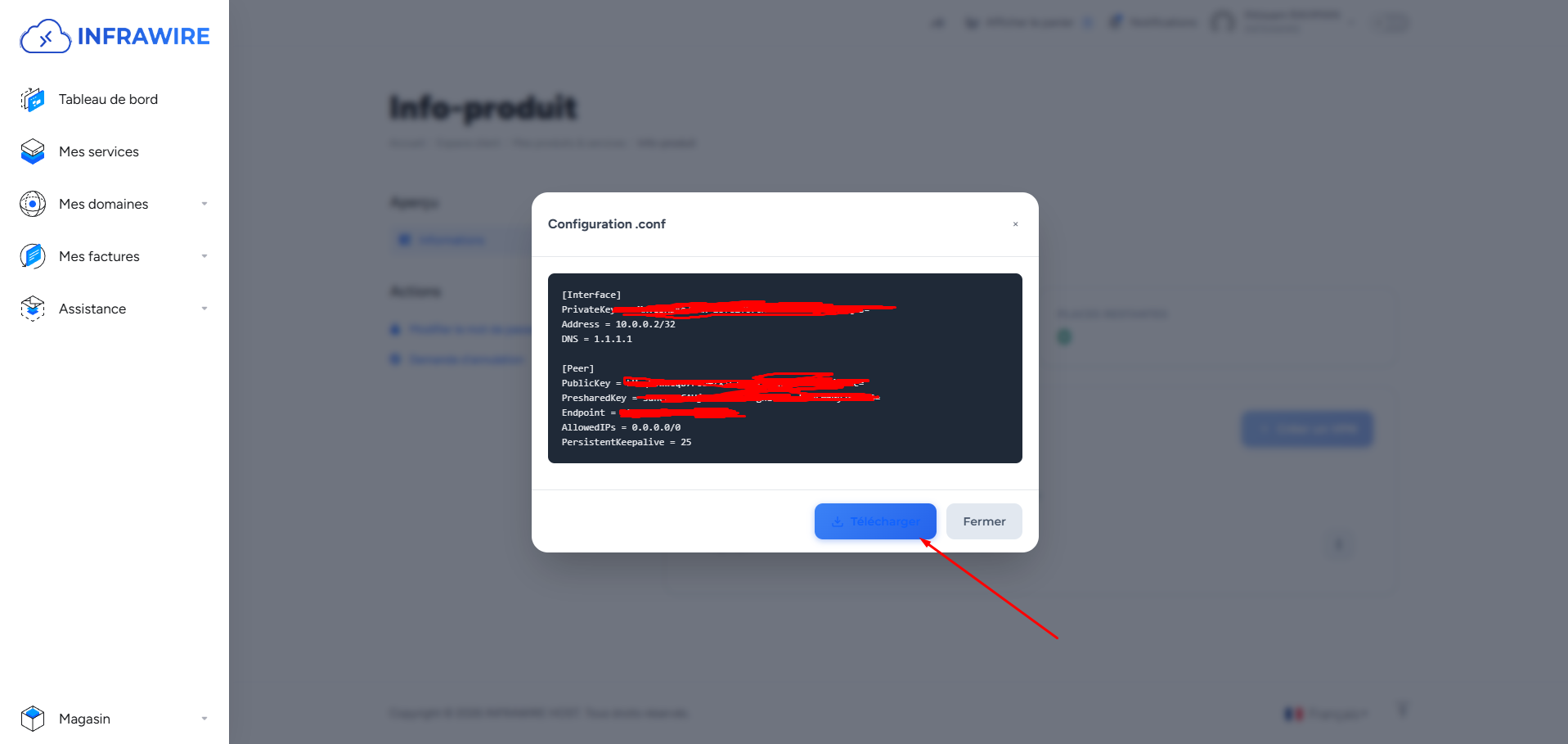
Une fenêtre s'affiche avec le détail de votre configuration VPN. Pour enregistrer le fichier sur votre appareil, cliquez sur le bouton « Télécharger ».
Étape 6 : Installer WireGuard sur votre ordinateur
Pour effectuer ce tutoriel sur ordinateur, rendez-vous sur l'application WireGuard. Vous pouvez télécharger le client pour Windows à l'adresse suivante : https://download.wireguard.com/windows-client/wireguard-installer.exe
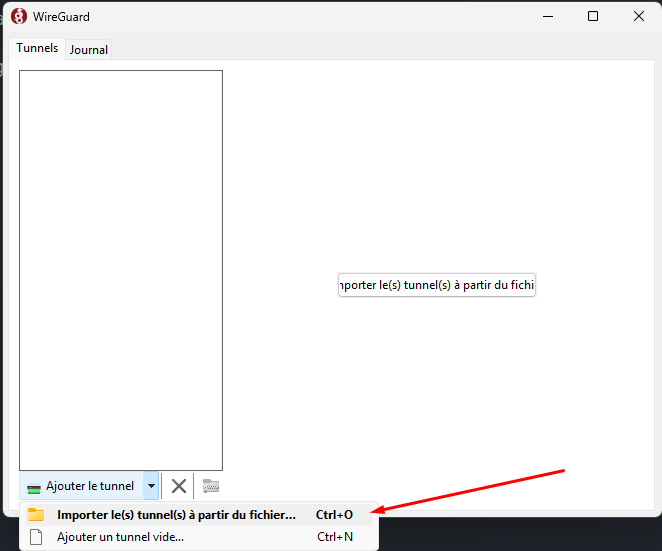
Étape 7 : Choisir le fichier .conf VPN
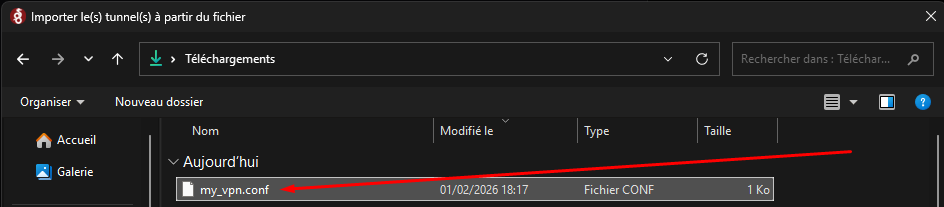
Dans l'application WireGuard, importez le fichier de configuration (.conf) que vous avez téléchargé depuis l'espace client. Sélectionnez le fichier pour activer votre connexion VPN.
Étape 8 : Activer la connexion VPN
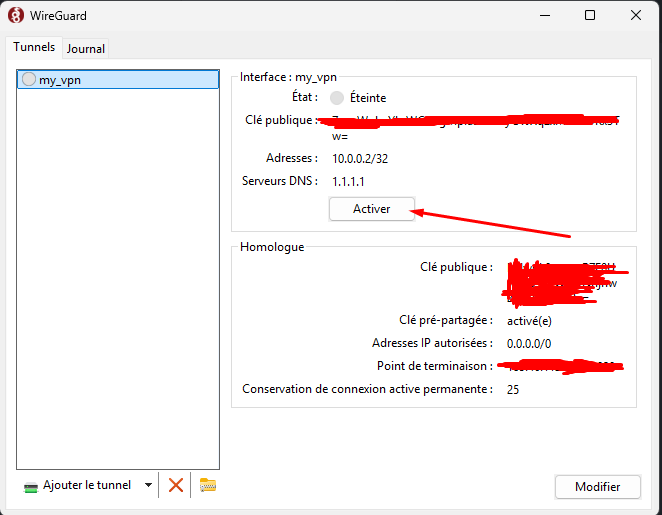
Le fichier de configuration est importé ! Connectez-vous en cliquant sur le bouton « Activer ».
---Et voilà ! Votre VPN est activé. Vous pouvez désormais naviguer sur Internet en toute sécurité, avec une connexion chiffrée et protégée. Profitez de votre VPN Infrawire !