
Controlled budget
Reliable resources at the most accessible price to get started without overspending.
A simple, stable and scalable VPS to launch your projects with great value for money.
€6.99
from
Anti-DDoS
included
SSD
storage
Budget focus
Strong value for money
Scalable
Upgrade when you need it
Transparent pricing: compare plans at a glance (SSD storage, 500 Mbps connection, limited support on the Economy range).
Cost-effective infrastructure — SSD · 500 Mbps · France
| Plan | vCPU | RAM | Storage | Connection | Monthly price | |
|---|---|---|---|---|---|---|
ECO-8 | 4 vCPU | 8 GB | 80 GB SSD | 500 Mbps | 6.99 €/mo | Order |
ECO-16Popular | 6 vCPU | 16 GB | 160 GB SSD | 500 Mbps | 14.99 €/mo | Order |
ECO-32 | 8 vCPU | 32 GB | 200 GB SSD | 500 Mbps | 27.99 €/mo | Order |
★★★★★ Over 50+ clients recommend us
Three clear pillars to keep your VPS easy to run, reliable day to day, and budget-friendly.
Reliable resources at the most accessible price to get started without overspending.
Balanced CPU, RAM and SSD storage for websites, bots, APIs and dev environments.
Anti-DDoS, backups and 24/7 support included across the Economy range.
Automated provisioning to bring your server online in minutes.
Increase resources gradually as your project grows.
Stable, monitored platform for consistent availability.
Range comparison
A quick overview to pick the right range for your budget, technical needs and expected performance.
| Feature | VPS Economy Tight budget | VPS NVMe Best balance | VPS Performance High performance |
|---|---|---|---|
| Hardware generation | Older | Recent | Latest generation |
| Positioning | Tight budget | Balanced | High performance |
| Storage | SSD | NVMe | NVMe |
| RAM type | DDR3 | DDR4 ECC | DDR5 |
| Bandwidth | 500 Mbps | 10 Gbps | 10 Gbps |
| Technical support | Limited | 24/7 | 24/7 priority |
| Automatic backups | |||
| Anti-DDoS protection | |||
| Starting price | €6.99/mo | €3.99/mo | €6.99/mo |
Choose from a selection of optimized and secure Linux operating systems for your VPS

Debian
Installation automatique
Ubuntu
Installation automatique

AlmaLinux
Installation automatique

Rocky Linux
Installation automatique

Fedora
Installation automatique
A KVM VPS with full root access to host your websites, applications and services
With our KVM NVMe VPS, benefit from full root access to configure your environment according to your needs. Install your web applications, databases or any other service with complete freedom.
Full control over your server environment
Installation of all software and services of your choice
KVM virtualization for optimal performance
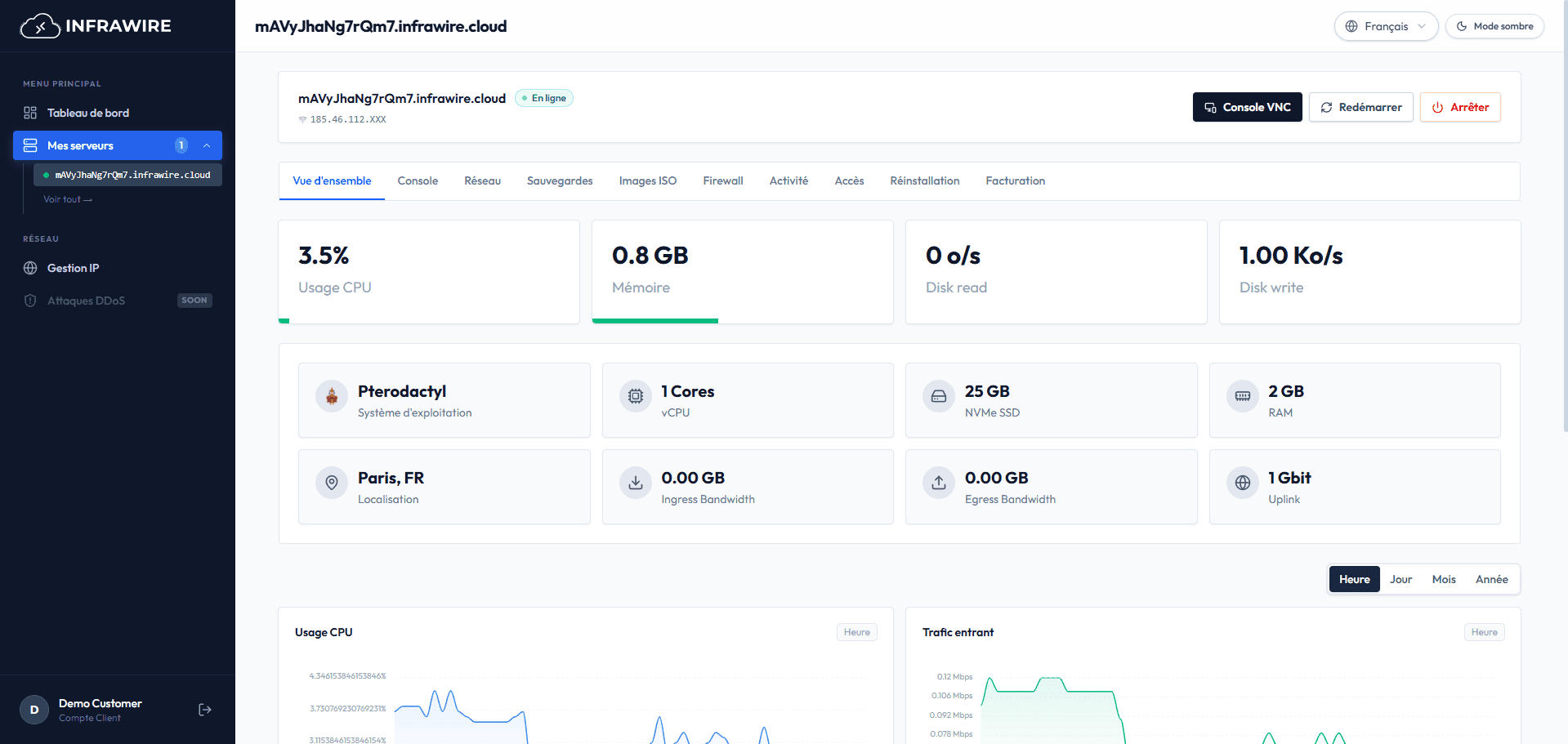
Switch ISO, adjust your firewall or manage reverse DNS without ever touching the command line.
A reliable host, consistent performance and responsive support to support your success.
Team of experts available 24/7 in French to assist you in managing your infrastructures. Configuration, troubleshooting, optimization: we act quickly to ensure continuity of your services.
Permanent proactive monitoring of your infrastructures to anticipate incidents before they impact your services. Instant alerts, real-time dashboards and detailed metrics for complete control over your resources.
Infrastructures hosted in the Equinix PA5 datacenter in Paris with complete redundancy. 24/7 physical surveillance, enhanced access control and redundant power supply to ensure maximum availability.
Daily automatic backups stored off-site in geographically distant datacenters. Your data is replicated in real-time and encrypted for maximum protection against any loss.
Carrier-grade network infrastructure connected to thousands of Internet service providers. We work with the best international operators to guarantee minimal latency and optimal response times.
Servers equipped with Intel Xeon Gold and latest generation AMD Ryzen processors for exceptional performance. Ultra-fast NVMe storage, professional ECC RAM and enterprise-grade components.
Discover our guides and tutorials for Linux VPS
Quick answers about the VPS Economy range
The Economy range is ideal for small and medium projects: websites, bots, dev environments, APIs and internal services.
Yes. You can scale CPU, RAM and storage as your project grows, without changing ecosystem.
Deployment is automatic and activation is usually completed within minutes after order.
Yes. 24/7 technical support, anti-DDoS protection and automatic backups are included on the Economy range.